The situation
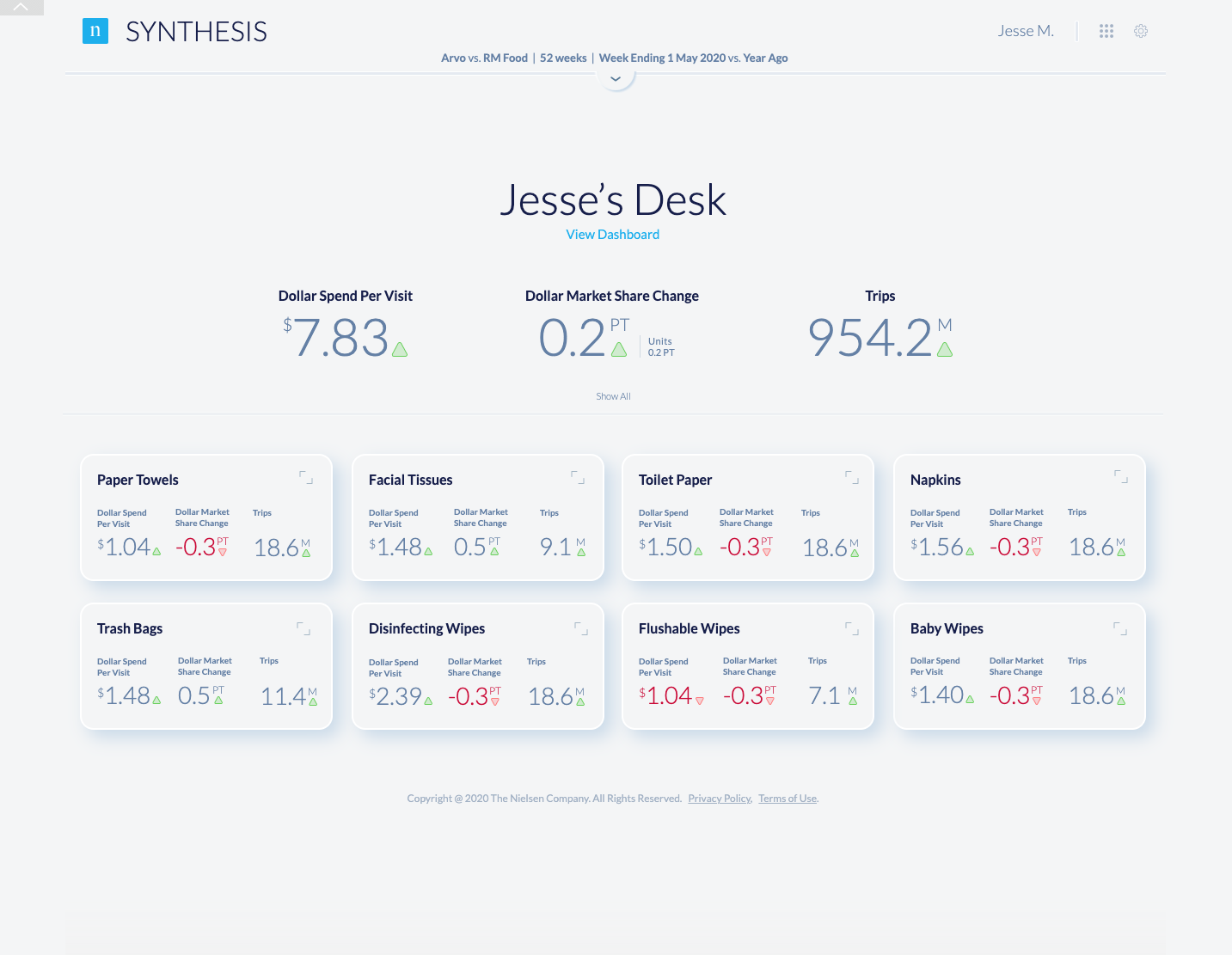
What we were solving NielsenIQ’s retail reporting showed everything at once and still left category managers building their own point of view. Through workshop, heat-map exploration, and density testing, we moved toward the Synthesis decision workspace: overview first, then category signal, then drill-in. It was still a prototype inside the broader North Star direction when I left.
Retail data was everywhere. Decisions were still too hard to make.
NielsenIQ had the data retailers and manufacturers depended on. The experience layer had not kept up. Users moved through dashboards, filters, tables, and exports to build a point of view that the product should have helped them reach directly.
Synthesis reframed the work: less dashboard inventory, more decision support. The goal was not to show everything NielsenIQ knew. The goal was to help the user understand what changed, why it mattered, and what to do next.
The Problem
Half of NielsenIQ’s revenue came from CPG sales-intelligence data. The reporting put everything on screen at once. Category and field managers used it because the data was indispensable, but the interface didn’t match how they actually decided.
The Approach
Run a cross-functional workshop, but treat prework as the work: interviews, workflows, journeys, competitive context. Kickoff should feel like refinement, not a cold start. Cross-pollinate teams. Push past polished but conservative ideas.
The Outcome
A decision workspace built around heat-mapped categories, drill-in performance, and density that scaled from a few hundred variables to nearly a thousand without losing scannability.
Before / after
The redesign was not about making charts prettier.
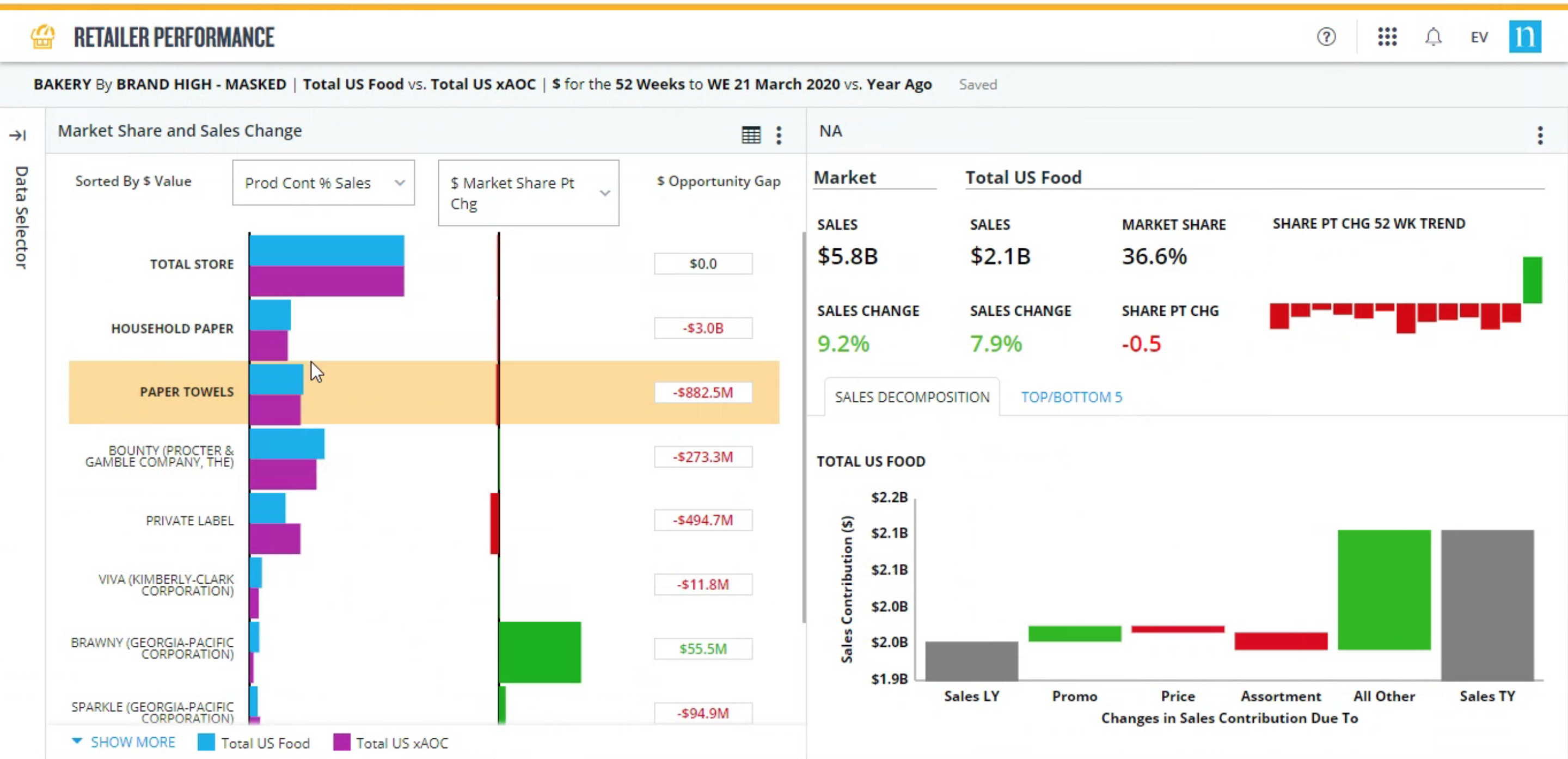
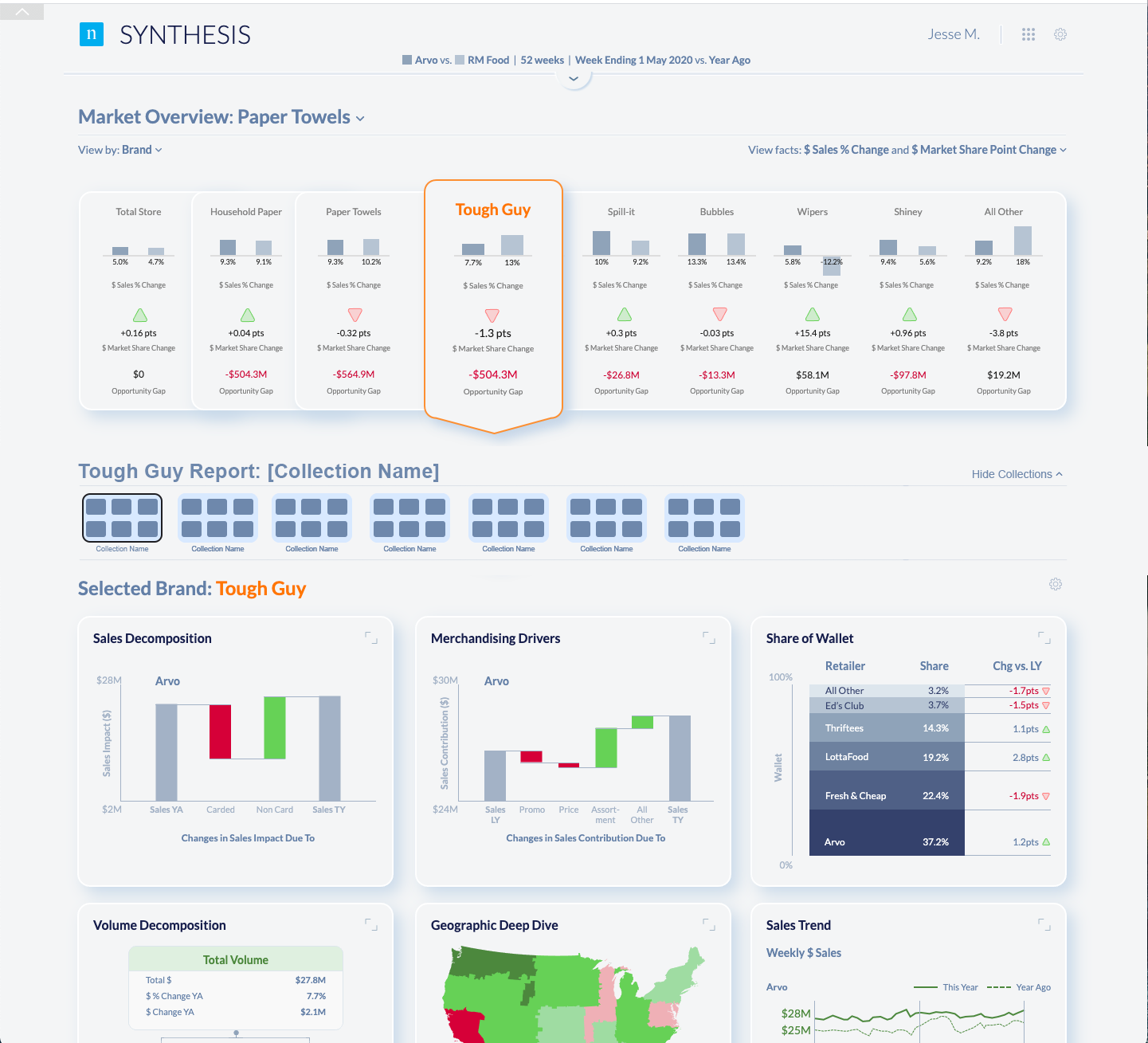
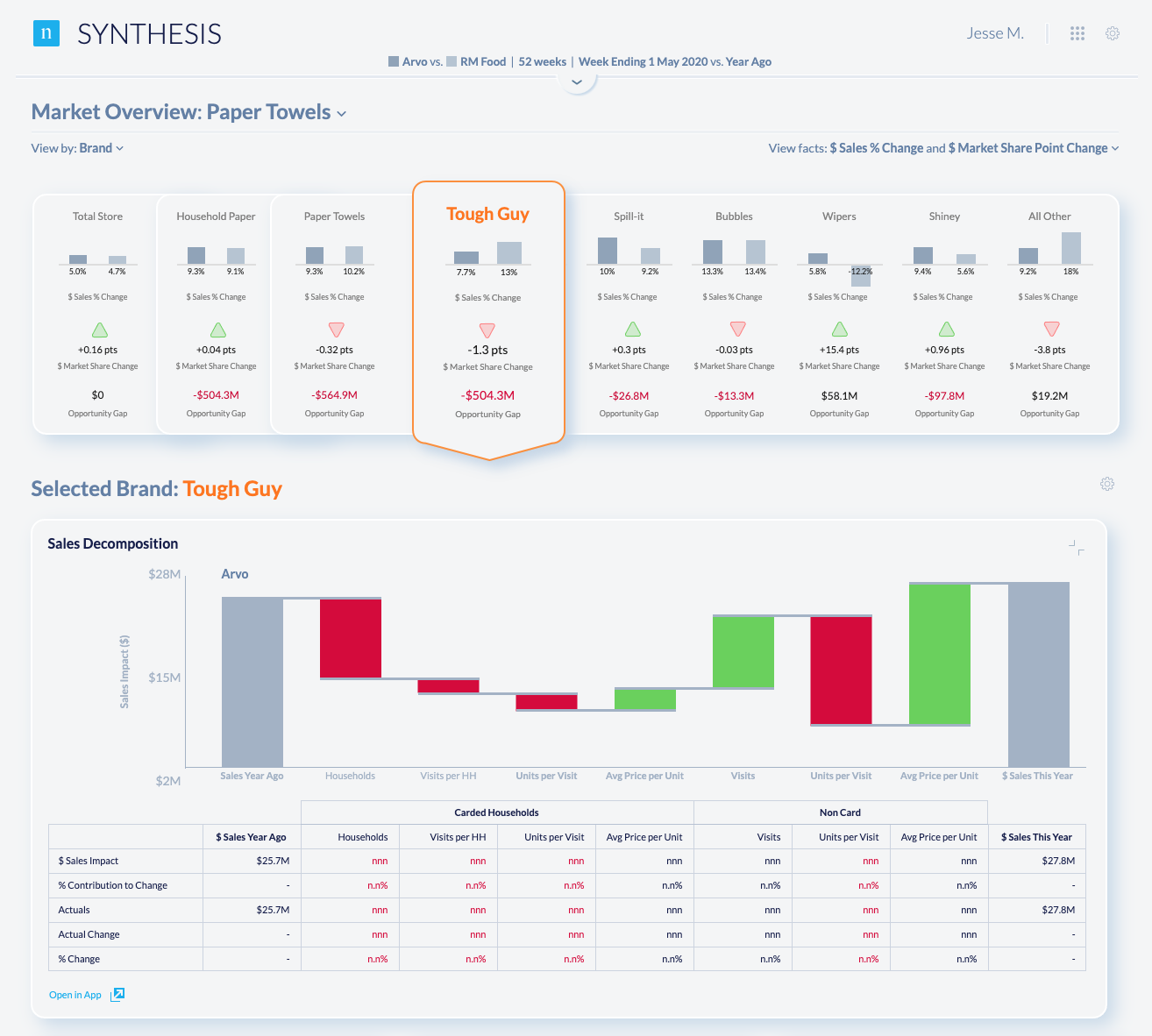
The original interface showed the data, but it did not make the decision obvious. The Synthesis direction gave category managers a place to start, a way to scan, and a clear path into the detail.
Inside the workshop
Pre-work is the work.
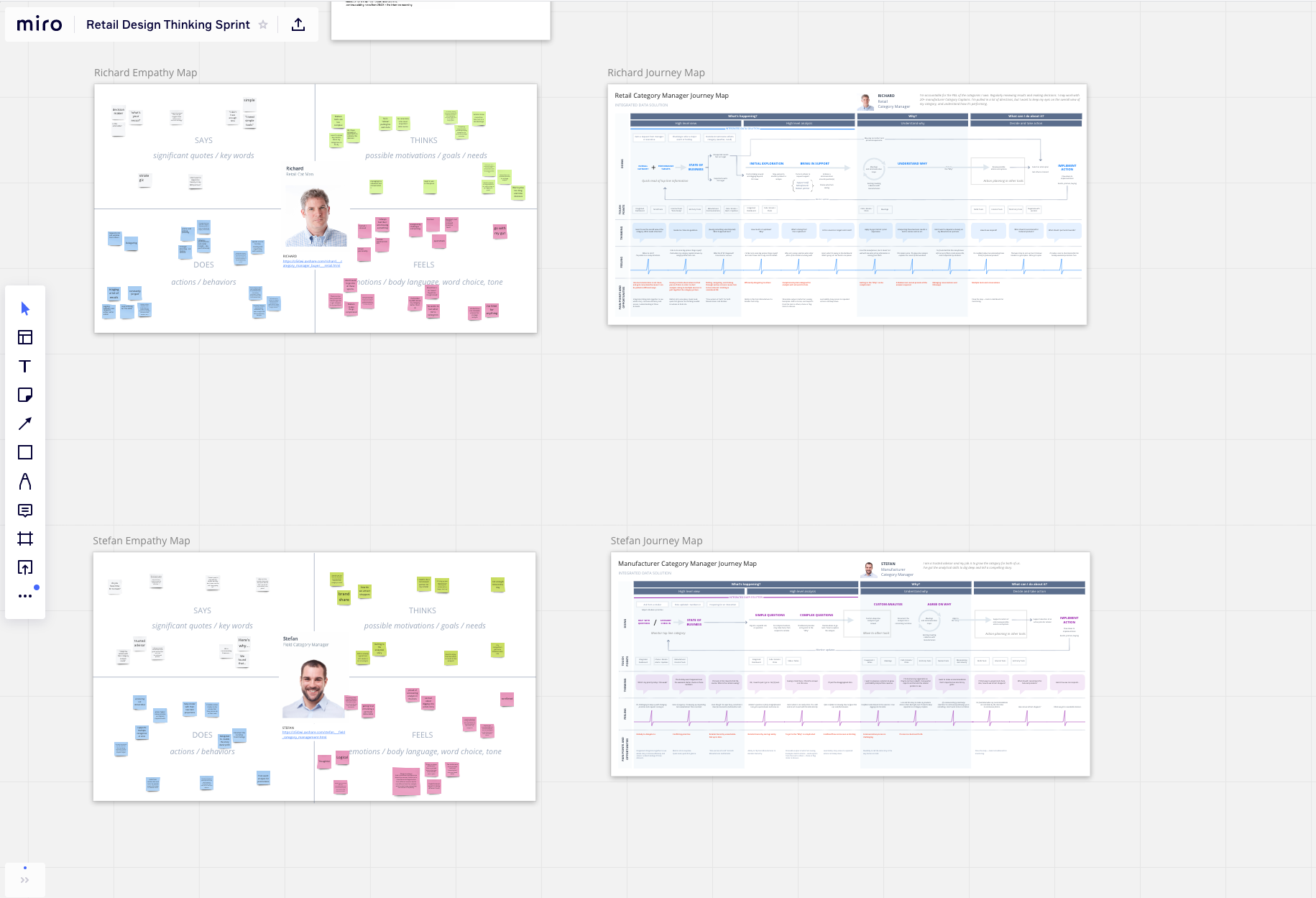
Walking into a kickoff with empty walls and warm coffee is a wasted week. The pre-work — expert interviews, field conversations with category managers, journey and empathy maps for specific decision moments — sets the standard before anyone sits down. The kickoff should feel like revision, not introduction.
Then
- Stakeholder and SME interviews summarized into briefs.
- Empathy and journey maps anchored to specific use cases.
- Sticky notes, decks, screenshots — synthesis carried in the facilitator’s head.
With AI today
- Pre-work catalogued, aggregated, and synthesized instead of scattered.
- A briefable workspace where the model already knows the participants, audience, and constraints.
- Model-deployment strategy by phase instead of one tool for everything.
Teams that show up with opinions, then change their minds.
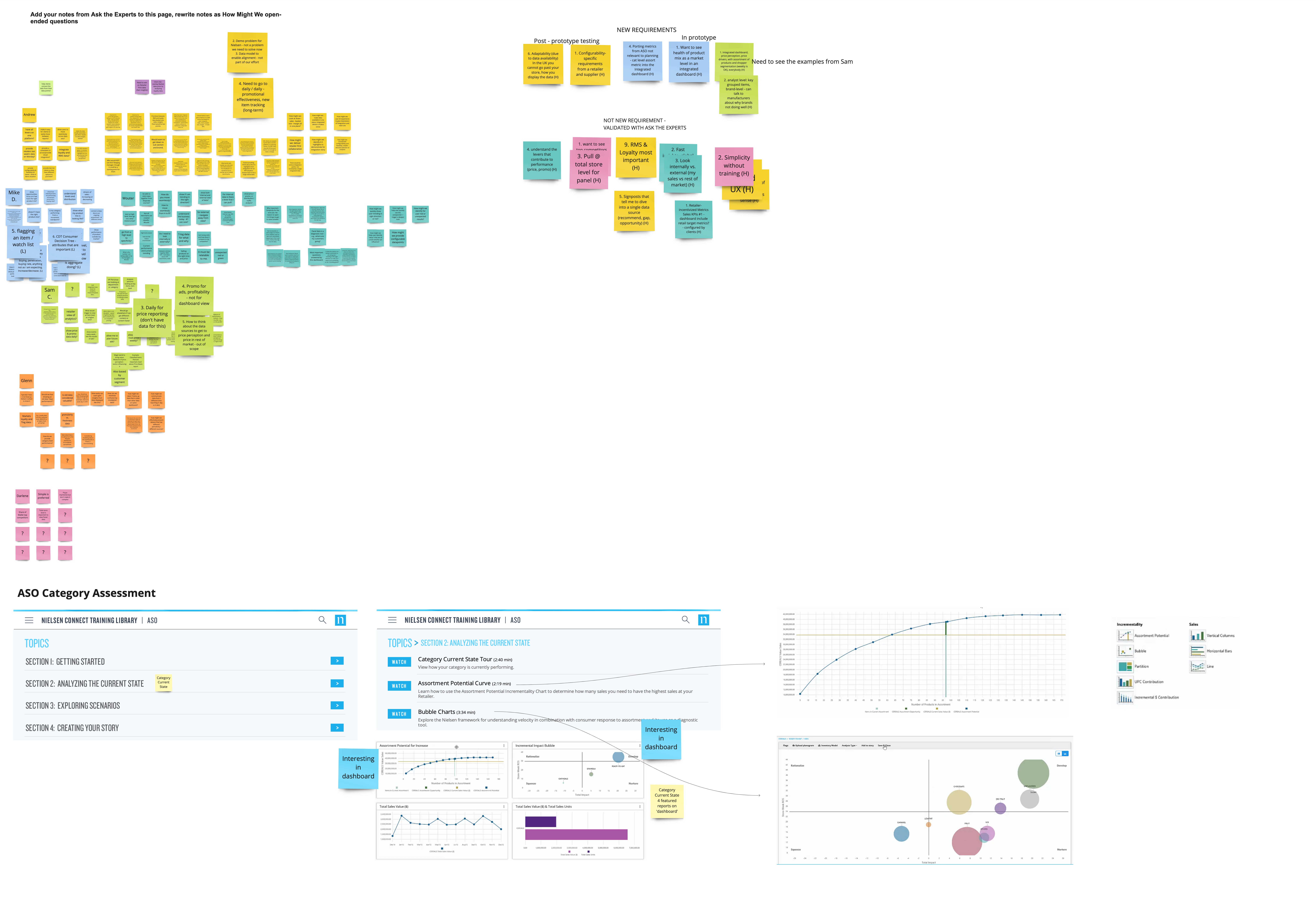
Cross-functional teams arrived with takes shaped by the prework, so the conversation started with substance. The trick was then cross-pollinating: rotating people, forcing teams to build on each other’s ideas instead of defending their own.
Then
- Opinionated, collaborative cross-functional pods.
- Decisions made between sessions; some threads quietly lost.
- Concepts illustrated as static frames between meetings.
With AI today
- Real-time decisioning during the session, with fewer ideas dropped between sessions.
- Working prototypes in minutes, even rough, so the conversation has something to react to.
- Cross-team patterns and hybrid directions surfaced as participants worked.

Concepting: get past the polished safe answer.
Three things go wrong in concepting if you let them. Teams iterate conservatively when there isn’t time. The most polished sketch wins because it is the most polished, not because it is the best. And once you generate a lot of ideas, most of them quietly disappear.
Then
- Manage time so a few directions get fully explored, at the cost of breadth.
- Senior facilitators counter polish bias by rotating critique.
- Ideas captured in artifacts; some still leak away.
With AI today
- Breadth and refinement at the same time, with every team paired to a tuned model.
- Rough ideas made tangible enough to evaluate without a senior designer’s hand.
- Lower-cost iteration means fewer ideas get cut for triage reasons.
The shape of the answer.
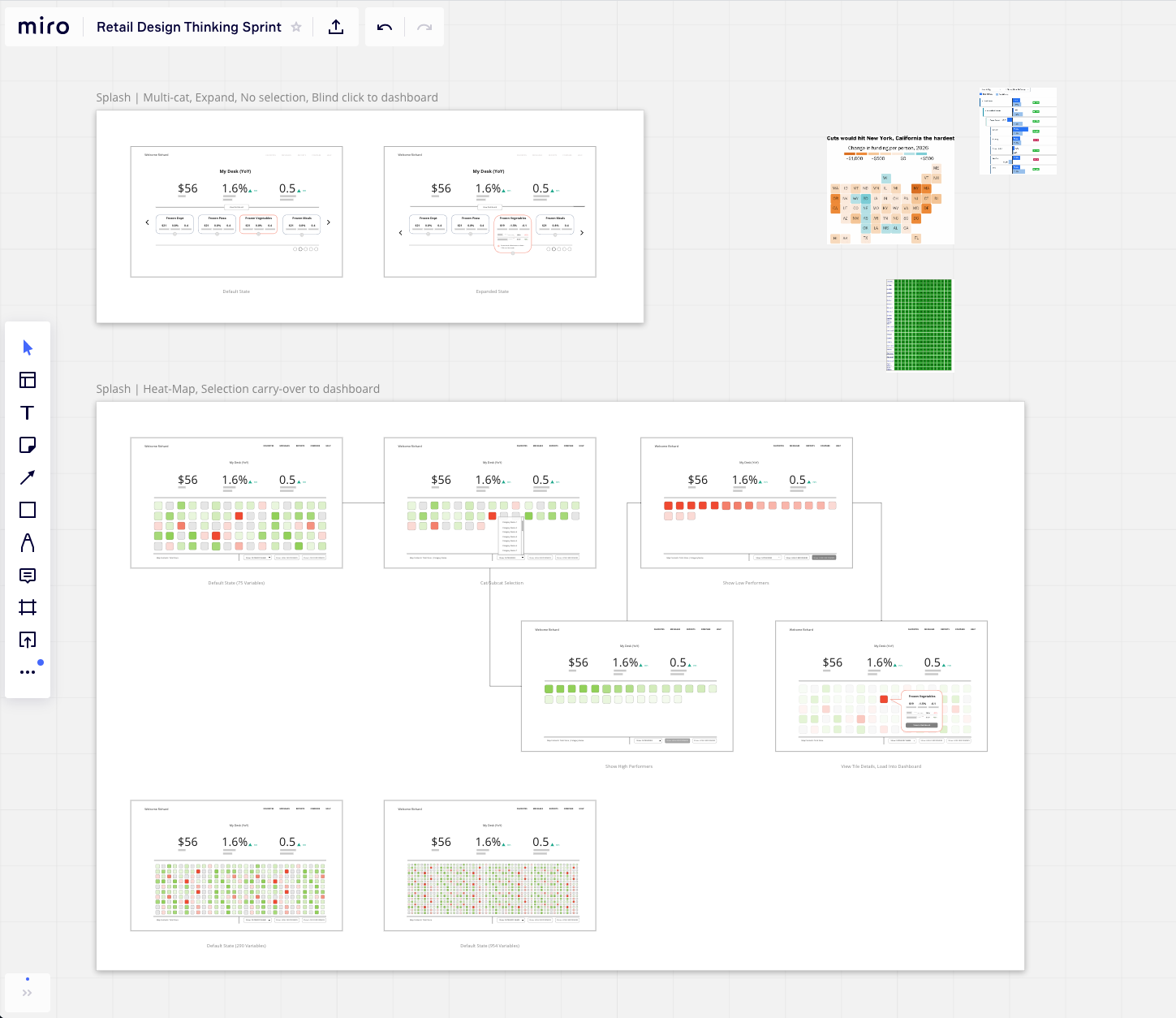
The first round of designs were polished versions of the chaos we’d inherited. We went back, sketched, questioned the data visualization, and asked what category managers actually do all day. They are not in love with a 48-ounce bag of frozen peas. They want to know, at a glance, where the business is bleeding and where it is working.
That landed us on heat maps: green for healthy categories, red for the ones that need attention; filterable by performance; drill-in to interrogate any one cell. Density mattered. We tested layouts at 290 variables and again at 954. Both were still scannable. The system held.
The final direction, which we called Synthesis, was a card-and-dashboard pattern: choose a card to open the dashboard for that book of business, then drill into charts beneath it for depth. Three screens, handed off for engineering build and for leadership to use as the go-to-market story.
Then
- Static three-screen concept built for handoff and stakeholder buy-in.
- Sales narrative and engineering brief assembled separately.
With AI today
- Working prototype with real data in 7–10 days.
- Senior leadership engages with the artifact, not the deck.
Testing.
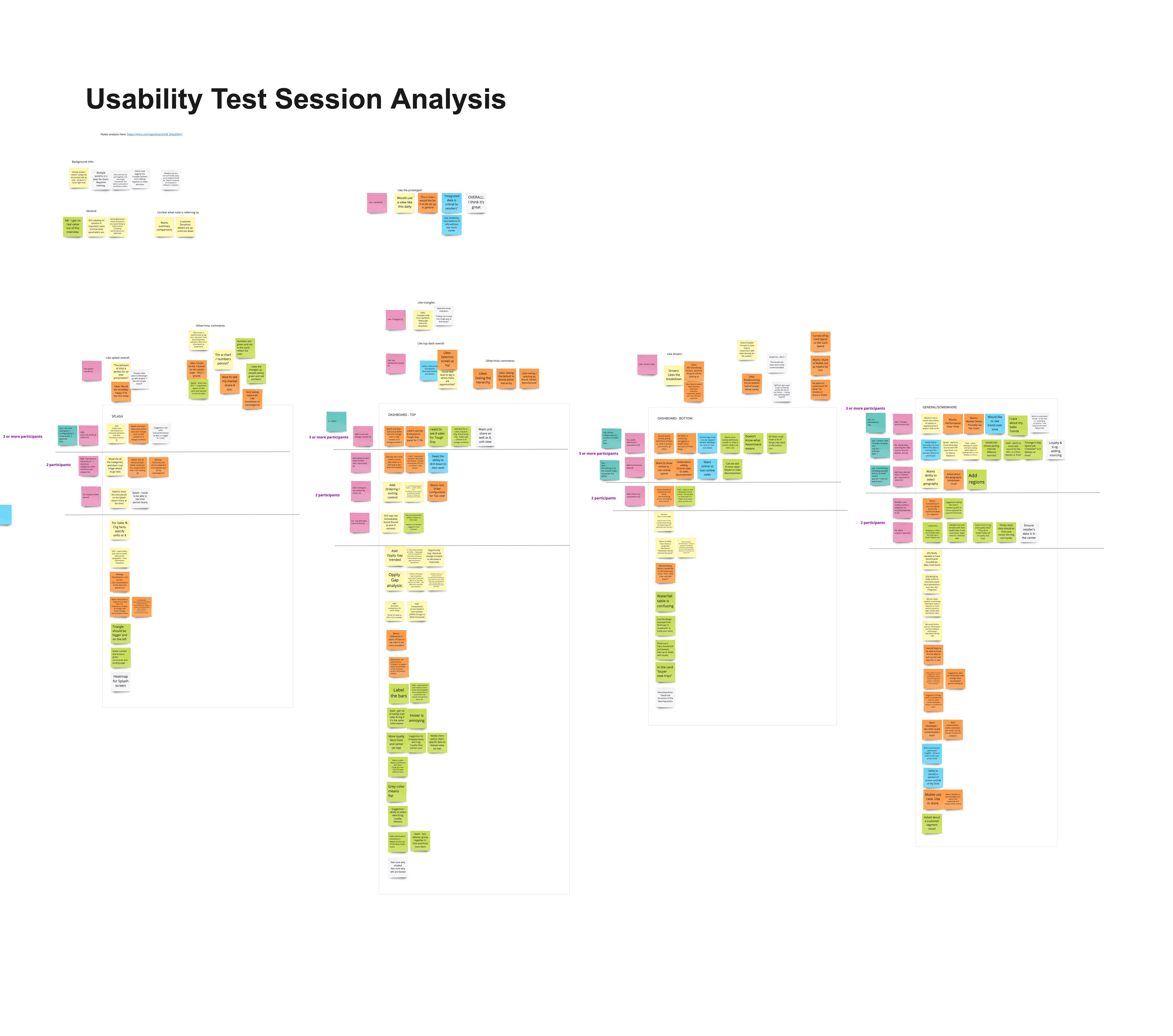
The concept tested well, but the sample was limited and the friction we saw was on click states and interactive behavior — exactly the kind of feedback you cannot fully address with static screens. With a working prototype today, that loop changes shape.
Then
- Iterative usability with a week between rounds.
- Friction surfaced, but interaction-level fixes waited for the build.
With AI today
- Real-time iterative usability with a captive audience: adjust, retest, lock down what works.
- Synthesis tools can read transcripts for themes, keywords, and patterns across sessions, so insight scales beyond the moderator.
The point of running it this way then was the same as it is now: put the audience first, work faster and smarter around them, and don’t let the tool — AI or otherwise — climb into the middle of the conversation.